Bundle
@zaimokuza/dsh-agent-teams-office
Office views for DSH Agent Teams.
- Source
- zaimokuza-yoshiteru
- License
- MIT
- Updated
- Updated 22 hours ago
Readme
# DSH Agent Teams Office 在 DSH 原生右侧边栏中查看 Agent Teams 的办公室。支持 3D / 像素切换、16 个队友工位和 Lead 独立办公室,点击人物可查看状态并聚焦。 ## 预览 以下为办公室组件的示例团队截图,不包含真实会话信息。 **3D 视图** 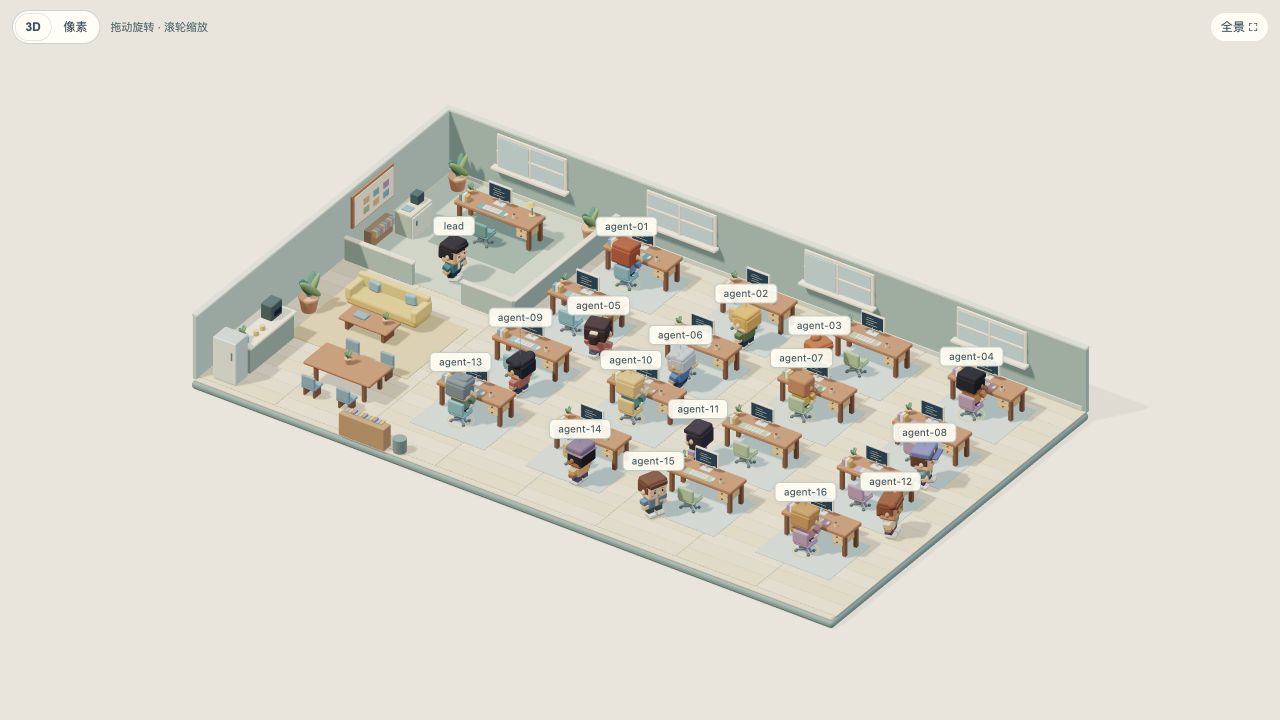 **像素视图** 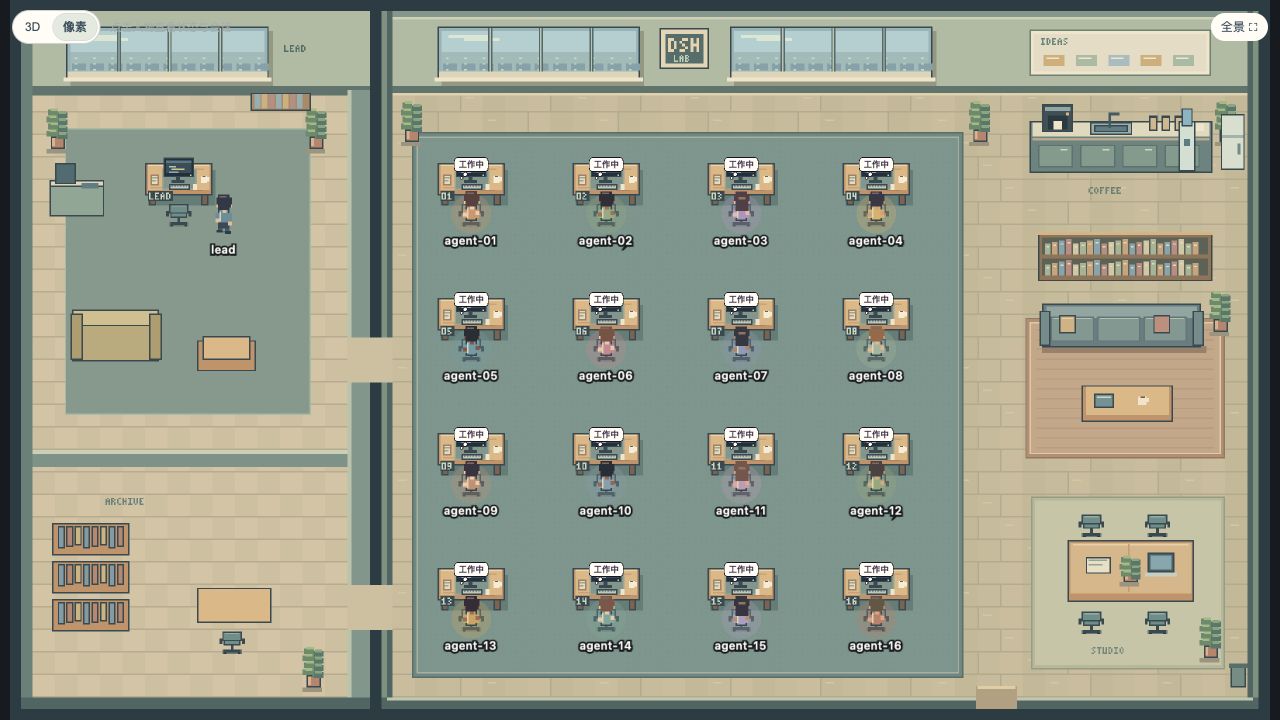 ## 安装 支持 **DSH 0.1.6-alpha.1 / 0.1.6-alpha.2**,并在宿主中启用 Agent Teams。未启用时不会显示办公室入口。 在桌面端的「Desktop Plugins」中安装: ```text @zaimokuza/dsh-agent-teams-office@beta ``` 安装后重启桌面端。CLI 管理的 profile 可使用: ```bash dsh plugin --profile <profile-name> add @zaimokuza/dsh-agent-teams-office@beta ``` ## 使用 1. 打开团队会话,在右侧边栏新增「办公室」标签。 2. 切换 3D / 像素视图;「全景」恢复镜头,选中成员后可查看状态或聚焦,不会切换会话。 3. 右键办公室标签,选择「悬浮显示办公室」,或将标签拖出侧边栏;点击悬浮窗标题栏的「收回到侧边栏」即可返回。悬浮窗可移动和调整大小,切换位置保留当前镜头、成员选择和动画进度。 4. 工作中的成员回到工位,空闲成员自由活动。真实消息与任务事件触发拜访、交接、讨论和完成动画。 动画不调用模型,也不会创建消息或任务。打开视图时不回放历史事件。插件最多展示 16 个 teammate 和 1 个 Lead,不修改宿主的人数配置;更多成员仍可在原生 Team 面板中查看。 ## 兼容性 当前为 **Beta**,已在 macOS 桌面端验证,适合个人和内部试用。其他系统、其他 DSH 版本及长时间运行仍需验证。宿主需要 Node.js 22.19+(22.x)或 24+,图形环境需支持 WebGL。 卸载请使用桌面端插件管理;CLI profile 可运行 `dsh plugin --profile <profile-name> remove @zaimokuza/dsh-agent-teams-office`。 ## 许可证 项目代码与原创场景素材采用 [MIT](LICENSE)。复用代码及渲染库的许可见 [第三方声明](THIRD_PARTY_NOTICES.md)。
Install
dsh plugin --profile web add github:zaimokuza-yoshiteru/dsh-agent-teams-office
Profile: web
With the hub plugin installed, ask your agent to install it by name — it resolves the same plan shown here.
dsh plugin --profile web add github:stvlynn/dsh.fish#path:packages/dsh-plugin-hub
install zaimokuza-dsh-agent-teams-office from the hub
- This package builds from source on install. pnpm will ask you to allow its build script — that is permission to run the package’s code on your machine, outside the agent sandbox. Only allow sources you trust.
- This source has no pinned commit, so a later push upstream changes what installs. Prefer pinning a commit.