Bundle
dsh-trading212
Read-only Trading 212 portfolio workspace for dsh
- Source
- Kevoyuan
- License
- MIT
- Updated
- Updated 6 days ago
Readme
# dsh × Trading 212 [English](README.md) | [简体中文](README.zh-CN.md) [](https://www.npmjs.com/package/dsh-trading212) A read-only Trading 212 portfolio workspace for **dsh**. Configure your API credentials once, then inspect your holdings, transaction history, portfolio risks, and stock-level trade markers—or ask questions about your portfolio in any dsh conversation. > For personal research and information only. This plugin does not provide investment advice and cannot place, modify, or cancel orders. 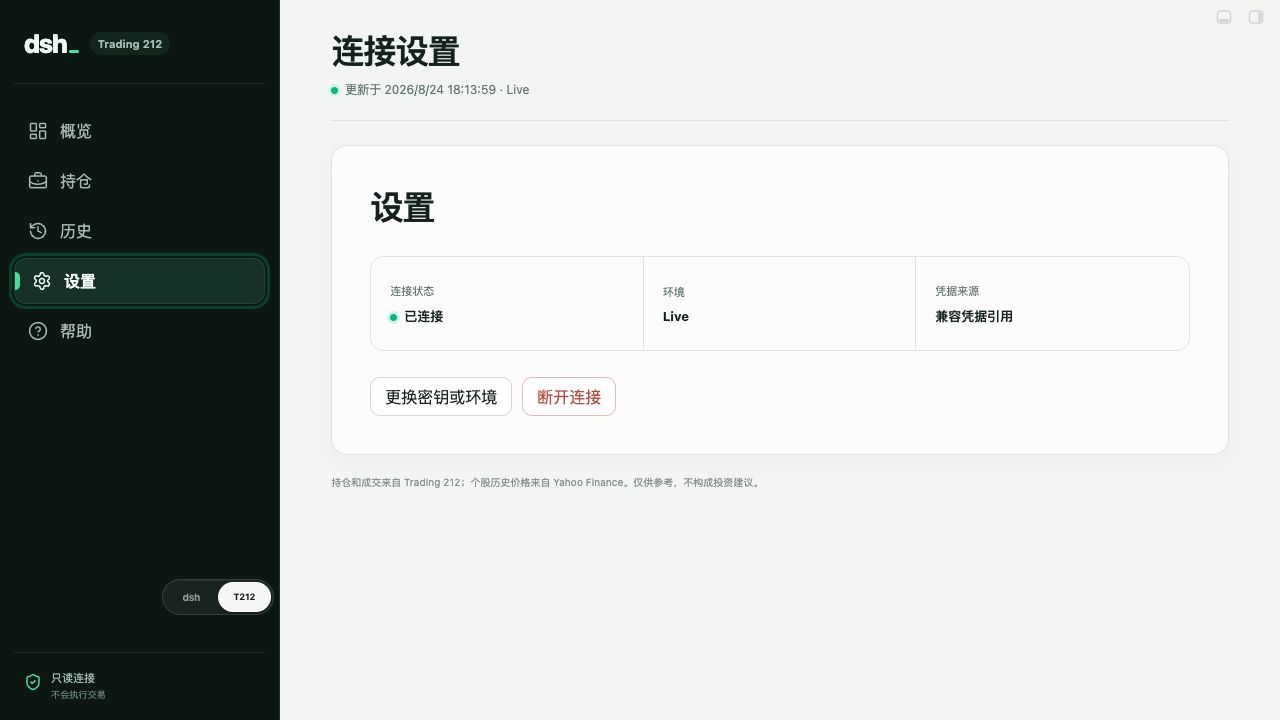 *Real product screenshot. No account value, position, personal identity, API key, or API secret is shown.* ## Features - Guided Demo or Live API setup with persistent dsh credential storage - Portfolio value, cash, returns, FX impact, concentration, and pending-order overview - Holdings, order history, cash transactions, and dividends - ECharts stock price history with actual Trading 212 buy and sell fills overlaid - English and Chinese UI that follows dsh by default, with a manual override in Settings - Read-only `trading212_portfolio` and `trading212_history` tools for normal dsh conversations - Sanitized errors for authentication, permission, rate-limit, timeout, and upstream failures ## Quick start ### Requirements 1. A working dsh installation. 2. A Trading 212 API key and API secret. Start with a **Demo** key if possible. ### Install ```bash dsh plugin --profile web add --save-exact dsh-trading212@latest ``` Fully quit and reopen dsh. A native `T212` tab appears next to `Chat` / `Trajectory` in the session header — click it to open the dashboard inside the chat panel. Alternatively, download the `.tgz` package from [GitHub Releases](https://github.com/Kevoyuan/dsh-trading212/releases) and install it locally: ```bash dsh plugin --profile web add --save-exact ./dsh-trading212-<version>.tgz ``` ### Connect Trading 212 1. Open the `T212` dashboard and select the Demo or Live environment. 2. Paste your API key and API secret, then select **Test and save**. 3. Open the dashboard or return to dsh and ask a portfolio question. Grant read-only access to: - Account data / account summary - Portfolio / positions - Orders / history Do not grant permission to place, modify, or cancel orders. Trading 212 displays an API secret only once; create a new key if the secret is lost. Official English documentation: [Trading 212 API documentation](https://docs.trading212.com/api/orders) · [How can I generate an API key?](https://helpcentre.trading212.com/hc/en-us/articles/14584770928157-How-can-I-generate-an-API-key) · [dsh plugin development guide](https://deepseek-harness.github.io/deepseek-harness/develop/basic/) ## Ask from dsh Example prompts: ```text Summarize my three largest positions and concentration risk. ``` ```text Which positions are dragging down my unrealized return? ``` ```text What currency exposure do I have, and are any orders still pending? ``` dsh calls the read-only tools when needed and receives normalized portfolio data. The plugin does not register any trading action. ## Data and privacy | Source | Purpose | Data sent | | --- | --- | --- | | Official Trading 212 API | Account, positions, orders, fills, cash transactions, and dividends | API key and secret are used only to authenticate with Trading 212 | | Unofficial Yahoo Finance endpoint | Daily historical prices for individual stocks | Public instrument identifiers only; no credentials, quantities, or account values | Historical market prices may be delayed, incomplete, or temporarily unavailable. Trading 212 holdings and execution history remain available when Yahoo Finance fails. ## Development ```bash pnpm install pnpm typecheck pnpm test pnpm pack --pack-destination dist ``` This repository follows the Harness plugin contract: `src/index.ts` exports `name`, `inject`, a same-name `Config` schema, and `apply(ctx, config)`; tools are registered with `ctx.tools.register(defineTool(...))`; `cordis.patch.yml` is the bundle patch used for publishing. For a local Harness Web run directly from source: ```bash pnpm harness:dev ``` The command generates the ignored `cordis.local.patch.yml`, points its `name` at the repository's absolute `src/index.ts` path, and starts `pnpm dsh web --patch ./cordis.local.patch.yml`, matching Harness's local-plugin patch convention. Git installs run `prepare` to build `lib/`; the published bundle patch and package metadata are declared through `dsh.bundle` in `package.json`. Main directories: - `src/index.ts`: dsh host, HTTP API, and read-only tools - `src/portfolio-service.ts`: credential persistence, caching, and request coordination - `src/trading212.ts`: Trading 212 client and response validation - `src/market-data.ts`: Yahoo Finance historical market data - `src/client/index.tsx`: native `T212` conversation-view tab hosting the dashboard - `src/app/`: setup, portfolio, history, and instrument UI ## Contributing Issues and pull requests are welcome. Never include an API key, API secret, real account value, or real portfolio position in issues, screenshots, fixtures, or commits. ## License Licensed under the [MIT License](LICENSE).
Install
dsh plugin --profile web add github:Kevoyuan/dsh-trading212#aea8e18925749c79b9f251780f43e38e8c1a3679
Profile: web
With the hub plugin installed, ask your agent to install it by name — it resolves the same plan shown here.
dsh plugin --profile web add github:stvlynn/dsh.fish#path:packages/dsh-plugin-hub
install dsh-trading212 from the hub
- This package builds from source on install. pnpm will ask you to allow its build script — that is permission to run the package’s code on your machine, outside the agent sandbox. Only allow sources you trust.