Bundle
dsh-skin-claude-code
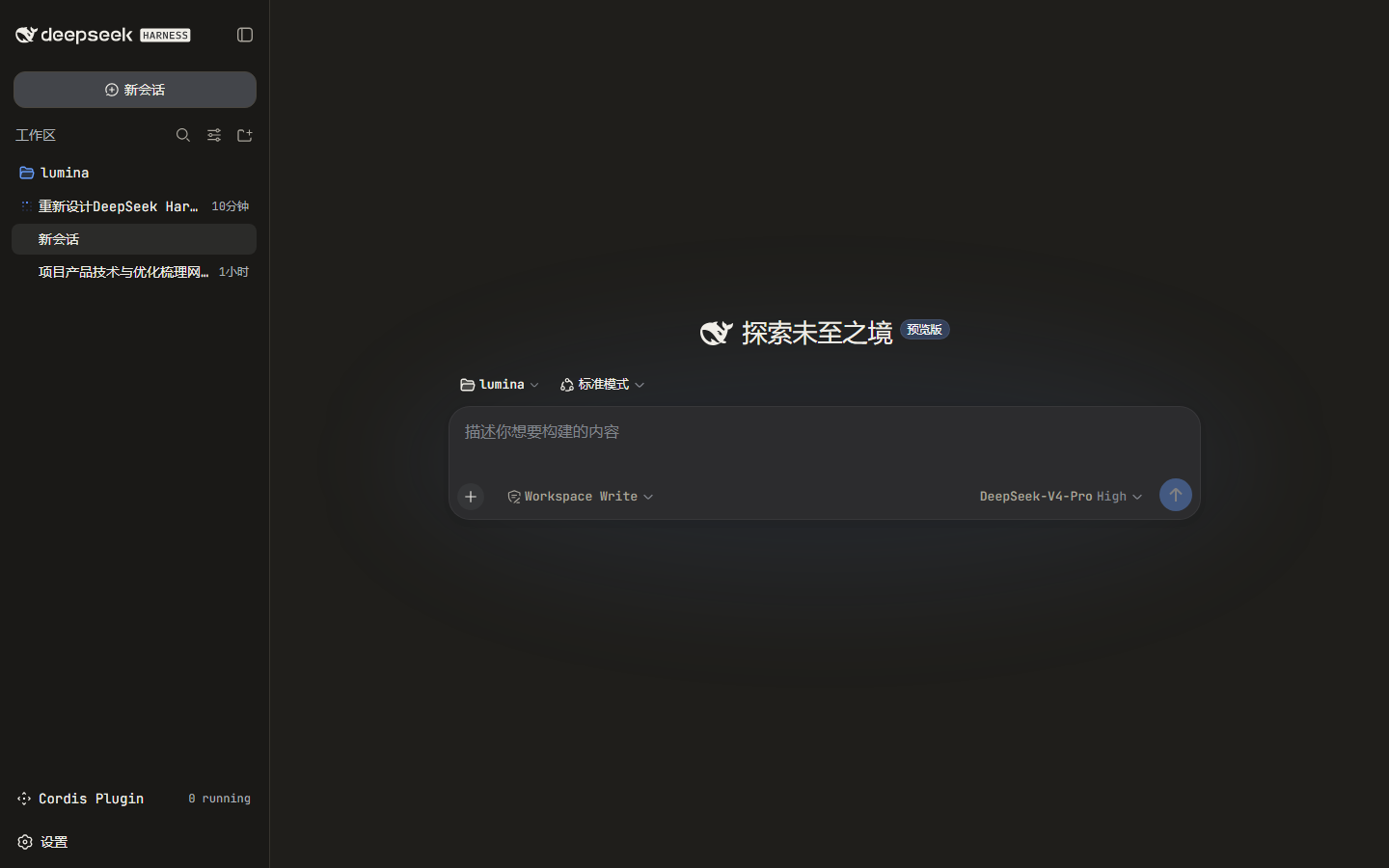
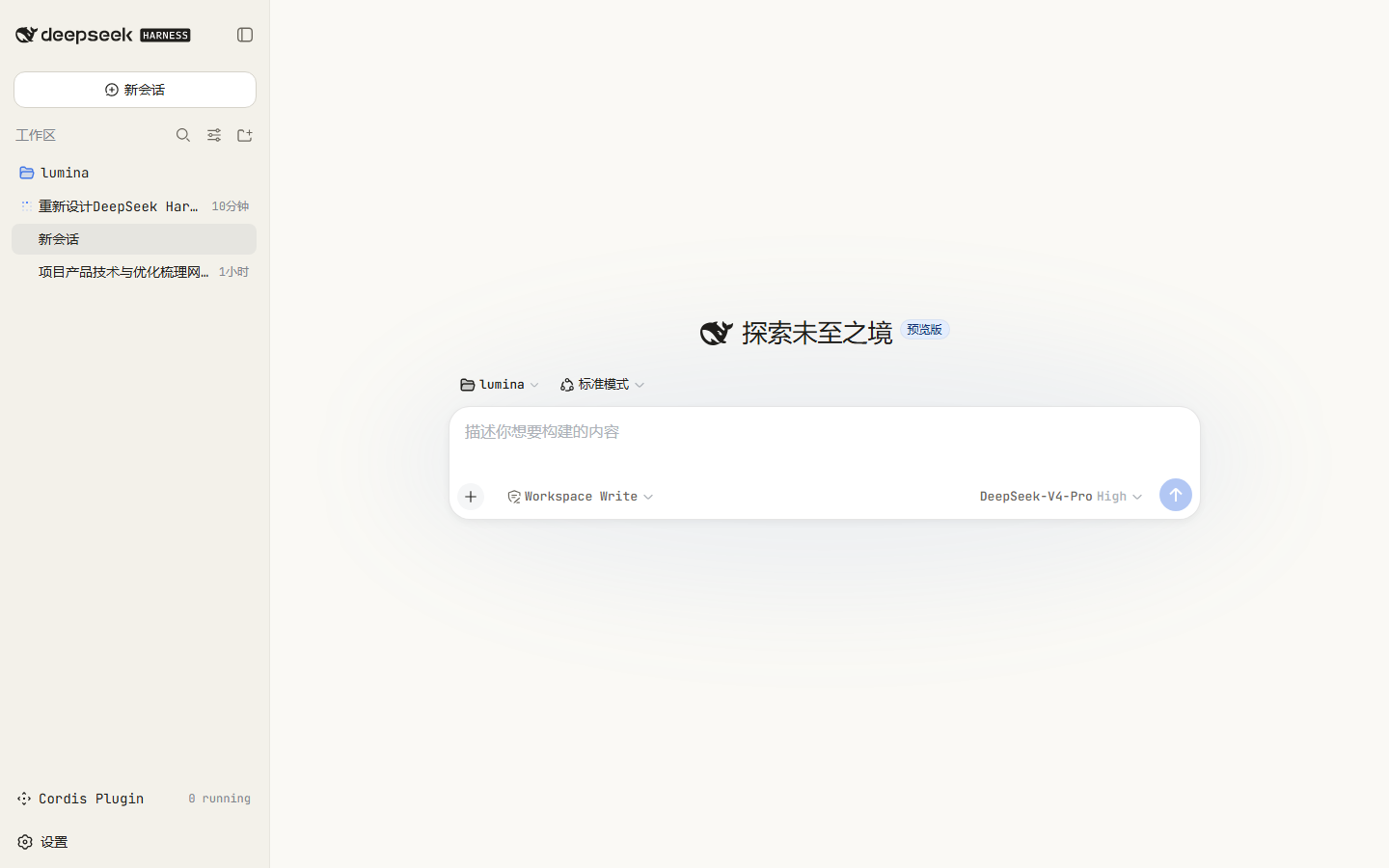
A Claude Code-inspired skin for the DeepSeek Harness web GUI: warm charcoal/cream surfaces, terracotta accent, and monospace terminal typography.
- Source
- lucasx001
- stars
- 2 stars
- License
- MIT
- Updated
- Updated 16 hours ago
Readme
# dsh-skin-claude-code
English | [中文](README.zh.md)
A **Claude Code–inspired skin** for the [DeepSeek Harness](https://github.com/deepseek-ai/deepseek-harness) web GUI.
It restyles the browser surface with Claude Code's signature look:
- **Warm charcoal / warm cream** surfaces instead of the stock cool grays
- **Terracotta accent** (`#D97757`) for brand, focus, caret, links, and scrollbars
- **Monospace terminal typography** (JetBrains Mono / ui-monospace fallback)
- Warm-tinted code blocks and `code`/`pre` surfaces
The skin stacks a token-override layer over whatever theme is active, so it
adapts automatically to **light**, **dark**, and **system** preferences.
## Preview
| Dark | Light |
| --- | --- |
|  |  |
---
## Install
The package is a DSH **bundle**: its `package.json` declares `dsh.bundle.patch`,
so `dsh plugin add` installs it **and** auto-registers it as a profile layer.
No `cordis.patch.yml` editing is required.
```sh
dsh plugin --profile web add dsh-skin-claude-code
dsh web
```
To target a different profile, change `--profile`. A convenience wrapper also
ships in the repo:
```sh
./install.sh # optional profile name, defaults to "web"
```
### Why no manual patch edit
`dsh plugin add` forwards to pnpm inside the profile, then reconciles the
profile's `dsh.profile.bundles` list: a dependency whose `package.json`
declares `dsh.bundle.patch` is appended to that list automatically. On boot,
the loader applies each bundle's own `cordis.patch.yml` (which inserts the
skin's row), so the plugin mounts with no manual composition edits.
---
## Uninstall
```sh
dsh plugin --profile web remove dsh-skin-claude-code
dsh web
```
---
## How it works
- `package.json` declares two things:
- `dsh.bundle.patch` → `cordis.patch.yml`, which inserts the plugin row;
- `dsh.client` (`platform: web`, `inject` on `@deepseek-ai/dsh-client-ui-theme`),
which serves the browser half.
- `lib/index.js` is the no-op host half (client-only plugins still export a
host entry so the composition loader can resolve the row).
- `lib/client.js` registers with `window.__ModuleLoader__`, then on activation:
- calls `ctx.theme.overrideTokens("dsh-skin-claude-code", TOKENS)` — a
reversible token layer over the active theme, with light/dark values;
- injects a `<style>` element for the monospace/terminal chrome, owned by the
Cordis fiber so stop/update/remove cleans it up.
No product DOM selectors are used — only the public `--dsw-alias-*` theme
tokens and generic elements — so the skin degrades safely across harness
updates.
---
## Customize
Edit the `TOKENS` map and `CSS` template in `lib/client.js`, then republish (or
install from your clone). The files under `lib/` are hand-written build
artifacts, so no bundler step is required to iterate.
## License
[MIT](./LICENSE)
Install
dsh plugin --profile web add github:lucasx001/dsh-skin-claude-code
Profile: web
With the hub plugin installed, ask your agent to install it by name — it resolves the same plan shown here.
dsh plugin --profile web add github:stvlynn/dsh.fish#path:packages/dsh-plugin-hub
install dsh-skin-claude-code from the hub
- This source has no pinned commit, so a later push upstream changes what installs. Prefer pinning a commit.