Bundle
dsh-plain-plugin-menu
用大白话分类、比较、安装和管理 DeepSeek Harness 插件|A plain-language plugin catalog and manager for DSH.
- Source
- 4mForAI
- stars
- 3 stars
- License
- MIT
- Updated
- Updated 4 days ago
Readme
# DSH 插件菜单
**简体中文** | [English](https://github.com/4mForAI/dsh-plain-plugin-menu/blob/main/README.en.md)
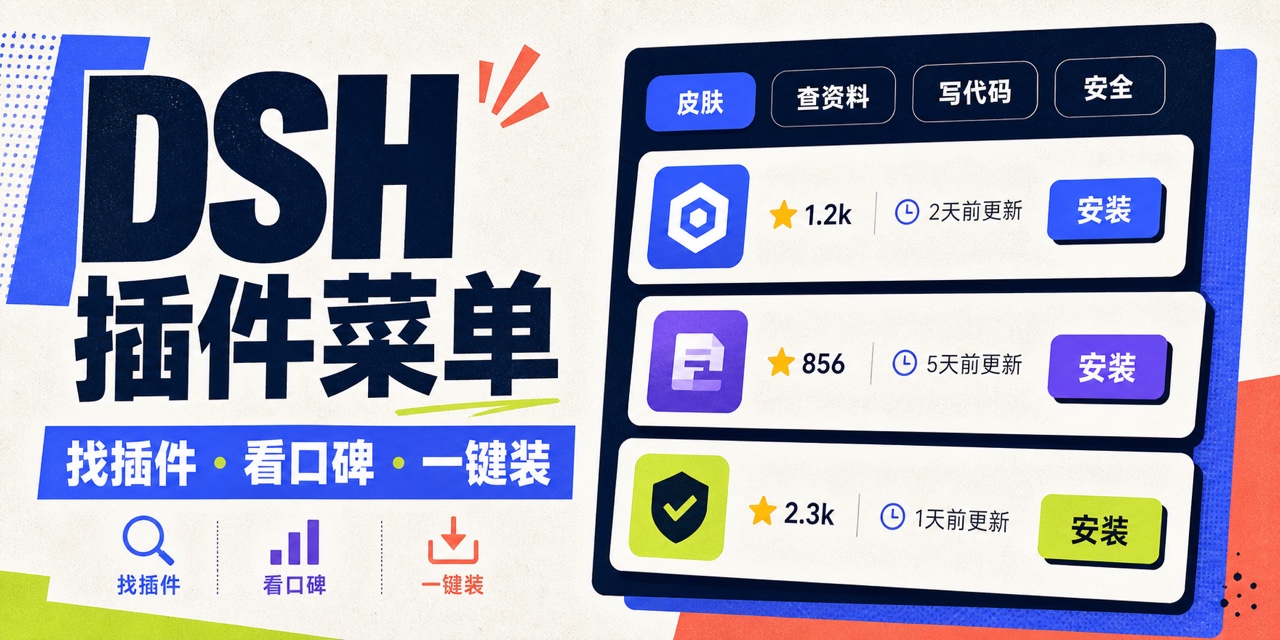
面向中文用户的 DeepSeek Harness 插件目录与管理器:用大白话重新分类社区插件,并放到 Web UI 左侧栏底部。点击“插件菜单”即可搜索、筛选、比较公开指标、安装、卸载和管理当前 profile 的全部树外插件。
[npm 安装包](https://www.npmjs.com/package/dsh-plain-plugin-menu) | [GitHub Releases](https://github.com/4mForAI/dsh-plain-plugin-menu/releases) | [问题反馈](https://github.com/4mForAI/dsh-plain-plugin-menu/issues)
## 它解决什么问题
传统插件市场常用“UI、Developer Tools、Runtime、Information Retrieval”一类术语。这个插件改用第一次接触 DSH 也能看懂的分类:
- 皮肤和界面
- 查资料
- 写代码
- 看图做图
- 记住事情
- 自动干活
- 发消息
- 管文件
- 接模型
- 安全守门
- 小技能
- 聊得更顺
- 玩点花的
- 管插件
- 其他
分类是透明、可测试的关键词规则,输入来自插件名称、中英文介绍、GitHub topics 和社区清单原分类。每个插件只进入一个最容易理解的类别;规则位于 `src/catalog.ts`。
## 功能
- 菜单栏入口:注册到 DSH 的 `sidebar.footer.action`,不替换官方侧边栏。
- 全量目录:在线读取 `awesome-dsh-plugin` 的可安装清单;当前离线快照含 824 条。
- 公开指标:GitHub Star、最近维护时间(`pushed_at`)、License、归档状态、Fork 和 Issue 数据。
- 搜索与筛选:按名称、功能、作者、仓库和 topics 搜索。
- 排序:按 Star、最近维护、最近收录或名称排序。
- 安装与卸载:调用当前 DSH 启动器的 `dsh plugin --profile web add/remove`,不经过 agent 沙箱。
- 已安装管理:读取当前 profile 的真实依赖,并区分“正在运行”“重启后加载”和“普通依赖”。
- 离线可用:网络失败时退回随包发布的目录和 GitHub 指标快照。
- 中英文:跟随 DSH 当前语言。
## 安装
插件已经发布到 npm,推荐使用官方 CLI 包直接安装:
```sh
npx -y @deepseek-ai/dsh plugin --profile web add dsh-plain-plugin-menu
npx -y @deepseek-ai/dsh web
```
也可以安装已经构建好的 tarball,不需要授权安装期构建脚本:
```sh
npx -y @deepseek-ai/dsh plugin --profile web add /absolute/path/to/dsh-plain-plugin-menu-0.1.1.tgz
npx -y @deepseek-ai/dsh web
```
从源码 checkout 安装:
```sh
npm install
npm run check
npx -y @deepseek-ai/dsh plugin --profile web add .
npx -y @deepseek-ai/dsh web
```
从 Git 仓库直接安装时,pnpm 10+ 会默认阻止依赖的 `prepare` 脚本。只有在审查源码后,才应按 pnpm 的提示把确切包键加入该 profile 的 `pnpm-workspace.yaml` 的 `allowBuilds`,然后重试。发布到 npm 或使用 `npm pack` 生成的预构建 tarball不需要这项授权。
安装成功后,左侧栏底部会出现“插件菜单”。插件集合的变化需要重启 DSH 才能进入下一次 Web 启动清单;菜单会明确显示该状态。
## 配置
组合包在 `cordis.patch.yml` 中提供默认配置:
```yaml
- insert:
- id: plain-plugin-menu
name: dsh-plain-plugin-menu
config:
profile: web
catalogTtlMinutes: 15
githubPages: 10
operationTimeoutMinutes: 15
```
字段均由 Schemastery schema 校验:
- `profile`:要管理的 DSH profile,默认 `web`。
- `catalogTtlMinutes`:公开目录缓存时长,1–1440 分钟。
- `githubPages`:每次最多读取多少页 GitHub topic 搜索结果,1–10 页,每页 100 条。
- `operationTimeoutMinutes`:安装或卸载超时,1–60 分钟。
需要改变时,在 profile 自己的 `cordis.patch.yml` 中按同一 `id` 覆盖整行配置。DSH patch 会替换整个 `config`,不会深度合并,所以请重述全部字段。
可选环境变量 `GITHUB_TOKEN` 用于提高 GitHub API 额度。插件只把它放在对 GitHub 的 `Authorization` 请求头中,不会送到浏览器。
## 安全边界
安装插件是在 DSH 进程外调用 pnpm,第三方安装脚本和插件代码都不受 agent 沙箱保护。为降低风险,本插件做了这些限制:
- 只安装社区可安装清单中、且能转换为普通 npm 包名或受限 `github:owner/repo[#path:/subdir]` 的来源。
- 不允许直接安装已归档仓库。
- 传给子进程的是 argv 数组;不拼接 POSIX shell 命令。
- 卸载目标必须已经存在于当前 profile 的 `dependencies`。
- 所有写操作同时要求同源 `Origin` 和自定义请求头,减少浏览器跨站请求伪造。
- 请求体限制为 4 KiB;一次只运行一个安装/卸载操作。
- 返回给浏览器的日志会截断,并把 DSH home 路径替换成 `$DSH_HOME`。
Star、最近维护和 License 只是公开信号,不是安全审计或质量保证。使用者仍需检查源码、作者、发布历史与安装脚本,生产环境建议锁定 commit。
## 开发
要求 Node.js 22.19+ 或 24+:
```sh
npm install
npm run typecheck
npm test
npm run build
npm pack
```
更新随包快照:
```sh
npm run snapshot
```
Host 入口生成到 `lib/index.js`;浏览器端生成 DSH 客户端模块工厂 `client/client.js`。`package.json` 同时声明 `dsh.bundle` 和 `dsh.client`,让一个 Loader 条目同时挂载 Node HTTP bridge 和浏览器菜单。
## DSH 插件开发结论
基于 2026-08-16 的官方 `master`:
1. 插件本质上是导出 `apply(ctx, config?)` 的 TypeScript/JavaScript 模块,也可使用对象或 `Service` 类形态。
2. `ctx` 是能力注册中心;通过 `ctx` 注册的事件、工具、slot 和 effect 会在插件卸载时反向清理。
3. 依赖写在 `inject` 中,Cordis 会等依赖服务就绪再调用插件。
4. 有配置的插件应导出同名 `Config` 类型与 Standard Schema;可部署差异不能硬编码。
5. 可安装交付物是声明 `dsh.bundle.patch` 的 npm 包;patch 插入实际插件行。
6. profile 是有序 bundle 层栈,不是插件本身。`dsh plugin --profile <name> add/remove` 由 pnpm 管理 profile 依赖,并同步 `dsh.profile.bundles`。
7. Web 插件是双面包:Host Loader 入口加 `dsh.client` 浏览器入口。浏览器 UI 只能通过 DSH slots 组合,不能修改官方核心页面。
8. 官方目前仍是 developer preview,明确提示会有破坏兼容性的变化;本包应在每次 DSH 升级后重新执行集成测试。
官方资料:
- [DeepSeek Harness README](https://github.com/deepseek-ai/deepseek-harness)
- [第一个插件](https://github.com/deepseek-ai/deepseek-harness/blob/master/docs/user/develop/basic/index.zh.md)
- [插件配置](https://github.com/deepseek-ai/deepseek-harness/blob/master/docs/user/develop/basic/config.zh.md)
- [打包与安装插件](https://github.com/deepseek-ai/deepseek-harness/blob/master/docs/user/develop/basic/publish.zh.md)
- [架构说明](https://github.com/deepseek-ai/deepseek-harness/blob/master/docs/architecture.md)
- [CLI profile 与 plugin 行为](https://github.com/deepseek-ai/deepseek-harness/blob/master/apps/cli/reference/README.zh.md)
## 许可证
MIT
Install
dsh plugin --profile web add github:4mForAI/dsh-plain-plugin-menu
Profile: web
With the hub plugin installed, ask your agent to install it by name — it resolves the same plan shown here.
dsh plugin --profile web add github:stvlynn/dsh.fish#path:packages/dsh-plugin-hub
install dsh-plain-plugin-menu from the hub
- This package builds from source on install. pnpm will ask you to allow its build script — that is permission to run the package’s code on your machine, outside the agent sandbox. Only allow sources you trust.
- This source has no pinned commit, so a later push upstream changes what installs. Prefer pinning a commit.