Bundle
dsh-artifact
Claude-Code-style artifacts for dsh: an `artifact` tool that writes self-contained HTML, a bundled authoring skill, a sidebar nav button, and an in-app artifact browser with sandboxed HTML preview
- Source
- Jannchie
- stars
- 1 stars
- License
- MIT
- Updated
- Updated yesterday
Readme
# dsh-artifact
English | [中文](README.zh.md)
[](https://www.npmjs.com/package/dsh-artifact)
[](./LICENSE)
Artifacts for [DeepSeek Harness](https://github.com/deepseek-ai): the agent writes self-contained HTML documents, and you read them in a tab beside the conversation.
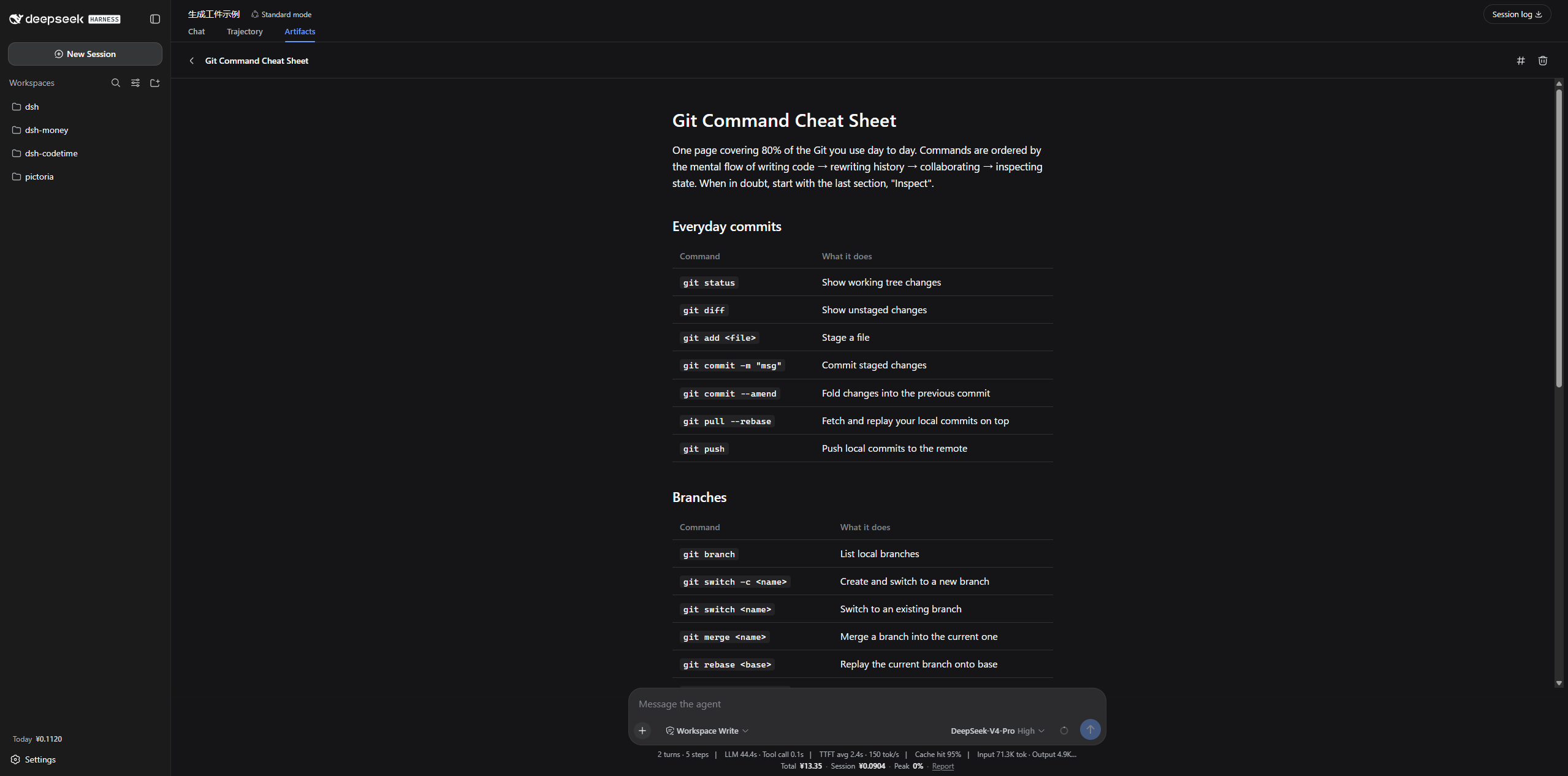
Without it, a report the agent produces either scrolls out of the chat or lands in your repository as a stray `.html` file nobody opens again. An artifact is stored outside the workspace, listed newest-first, and rendered in place — so it survives the conversation that produced it and follows you across projects.
## Install
```sh
dsh plugin --profile web add dsh-artifact
```
Restart `dsh web` afterwards: plugins are composed at process start.
## Getting started
Ask the agent for something worth keeping:
> Summarize this week's benchmark results as a report.
It calls the `artifact` tool, and the document appears under the **Artifacts** tab. Click through to read it, `‹` to go back.
The agent also gets a `writing-artifacts` skill, so the HTML it produces is a real document — one reading column, semantic headings, tables that scroll on their own, a palette that follows your theme — rather than an app shell wrapped around three paragraphs.
## The `artifact` tool
| Command | Arguments | What it does |
|---|---|---|
| `list` | — | Every artifact, newest first |
| `read` | `path` | One artifact's full HTML |
| `write` | `path`, `content` | Create or replace an artifact |
| `delete` | `path` | Remove an artifact |
`path` is relative to the store and the `.html` suffix is optional, so `write path:"q3-report"` produces `q3-report.html`. Writes are confined to the store: a path that escapes it is rejected rather than saved somewhere the browser cannot list.
## Where artifacts live
`$DSH_HOME/artifacts` — by default `~/.dsh/artifacts`, beside the sessions and storages the harness already keeps there.
Deliberately not the workspace: artifacts follow the person, not the project, and a repository should not fill up with generated HTML.
## Rendering
Artifacts render in an iframe with `allow-scripts` and nothing else — **no network, no same-origin**. External stylesheets, CDN scripts, webfonts, `fetch`, `localStorage` and cookies are all unavailable, so an artifact inlines everything it needs. The bundled skill teaches this; you only notice it if you hand-write one.
The preview injects the app's live color tokens, so artifacts follow your theme — including a theme another plugin overrode.
## Configuration
Override in your profile's `cordis.patch.yml`:
```yaml
- id: artifact
config:
# Artifact directory. Omit or null for $DSH_HOME/artifacts.
root: /absolute/path/to/artifacts
# Maximum characters accepted in one write.
maxArtifactChars: 400000
# Inject the system-prompt section about when to write an artifact.
promptSection: true
# Register the bundled writing-artifacts skill.
skill: true
# Colors handed to previewed artifacts, layered over the live theme.
# A key without a leading `--` is read as an alias token.
palette:
state-business-primary: '#e0552b'
```
## Notes
Implementation notes for other plugin authors — the slot contracts, the two-envelope wire protocol, and four traps worth knowing about — are in [NOTES.md](NOTES.md).
## License
MIT
Install
dsh plugin --profile web add github:Jannchie/dsh-artifact
Profile: web
With the hub plugin installed, ask your agent to install it by name — it resolves the same plan shown here.
dsh plugin --profile web add github:stvlynn/dsh.fish#path:packages/dsh-plugin-hub
install dsh-artifact from the hub
- This source has no pinned commit, so a later push upstream changes what installs. Prefer pinning a commit.